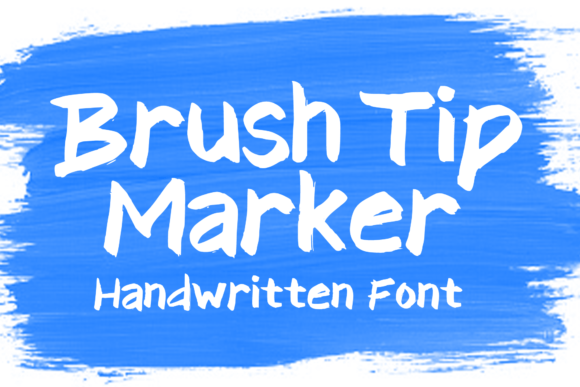
Brush Tip Marker Font for Web Design
It was a late afternoon when I first tested Brush Tip Marker in my latest web project—a boutique online store selling handmade ceramics. The hero section needed a bold, inviting headline that felt personal yet professional, and this font immediately caught my eye. It had that hand-drawn charm, like someone had scribbled the words with a real brush tip marker on paper, but with enough polish to work well on screen.
Brush Tip Marker is a display font that brings a sense of warmth and creativity to digital spaces. Its visual personality leans into organic, slightly imperfect strokes, giving it a natural, approachable feel. This makes it perfect for websites that want to convey a handmade or artisanal vibe without feeling too casual or unprofessional.
Testing Brush Tip Marker in Real Web Layouts
I started by placing Brush Tip Marker as the main headline in the hero section. The font’s texture worked beautifully over a soft background image of ceramic mugs. On desktop, it looked clean and elegant, but I also checked how it rendered on mobile. Surprisingly, it scaled well, maintaining its character even at smaller sizes. The contrast between the font and the background image helped it stand out without overwhelming the layout.
Next, I experimented with using Brush Tip Marker in call-to-action buttons. While it wasn’t ideal for small text due to its decorative nature, it worked wonders when used sparingly—like a “Shop Now” button with a subtle shadow and ample padding. It added a touch of personality that made the CTA feel more inviting.
Where Brush Tip Marker Shines Online
This font excels in areas where visual storytelling matters most. For example, on a creative portfolio site, it can be used for section headings or project titles, adding a unique flair that sets the designer apart. In an online store, it can enhance product banners or promotional headlines, especially for niche markets like handmade goods, vintage items, or artisanal crafts.
I found that Brush Tip Marker pairs best with a clean sans serif font for body copy. Pairing it with something like Helvetica Neue or Open Sans kept the design balanced—decorative without being distracting. This combination ensures readability while maintaining a cohesive brand identity.
For blog headers or landing pages, I used Brush Tip Marker as a decorative accent, such as in subheadings or pull quotes. It brought a sense of movement and energy to the page, making the content feel more dynamic and engaging.
Readability and Responsiveness Tips
While Brush Tip Marker has a lot of character, it’s important to use it wisely. It’s not suitable for long paragraphs or dense blocks of text. Instead, reserve it for short phrases, logos, or decorative elements where its visual appeal can shine without compromising readability.
On dark backgrounds, I noticed that the font sometimes lost some of its detail. To counteract this, I used a slightly lighter color and added a subtle outline or stroke to ensure it remained legible. When using it on light backgrounds, I preferred darker shades to maintain contrast.
For responsive layouts, I made sure to test the font across different screen sizes. While it handled scaling well, I avoided using it in small navigation menus or form labels, where its decorative style could become hard to read.
What to Consider Before Using Brush Tip Marker
Before implementing Brush Tip Marker on your website, make sure you check what styles are included. Does it have alternate characters, ligatures, or swashes? These features can add versatility, especially if you're creating custom graphics or branding materials.
Also, verify that the font supports the languages and characters you need, especially if your website targets a global audience. And don’t forget to confirm whether the license allows commercial use, especially if you’re building a client project, selling products online, or offering digital downloads.
If you're using the font in a web project, ensure it's available as a webfont. Some fonts require additional setup or may not load quickly on mobile devices. Optimize file formats and consider caching strategies to keep your site fast and user-friendly.
Brush Tip Marker is a versatile and expressive display font that adds a personal, handcrafted touch to any digital project. Whether you're designing a boutique website, a creative portfolio, or a product landing page, it can elevate your brand’s visual appeal and emotional connection with your audience.